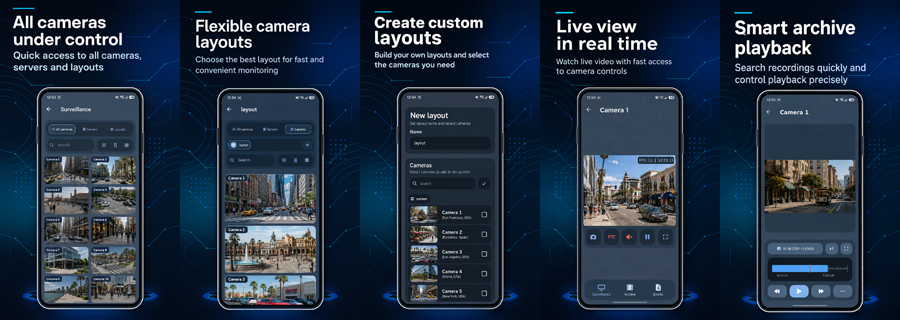
We have released a new version of the Sagitech VMS mobile app for Android.
This is not just a minor app update. The mobile client has been significantly redesigned: we have updated the internal architecture, interface, video streaming mechanisms, archive playback, event handling, and server connection logic.
The main goal of this release is to make mobile work with Sagitech VMS faster, more stable, and more convenient — especially when working with many cameras, mobile networks, and unstable internet connections.
What’s new
Added support for H.264 and H.265 video streams.
Added mTLS (Mutual TLS) support using client certificates for secure server connection.
Completely redesigned Live View: quick access to servers, cameras, and profiles, search, and multiple camera grid layouts.
Added Performance Priority mode for more comfortable work over slow and unstable connections.
Improved video stream receiving and display mechanisms, increasing overall app stability.
Completely redesigned archive: new timeline, available dates, playback speed control, full-screen mode, and video export.
Updated event handling with convenient filtering by server, time, camera, and event type.
Added viewing of related snapshots and additional information from video analytics modules.
Improved work with view profiles and camera layouts.
The app now remembers the selected server, profile, grid layout, and last viewing mode, making it faster to continue work.
Improved authorization and server connection, including Active Directory support.
Significantly redesigned internal architecture, creating a foundation for further development of the mobile client and future features.
Download the new version
The new version of the Sagitech VMS mobile app can be downloaded: